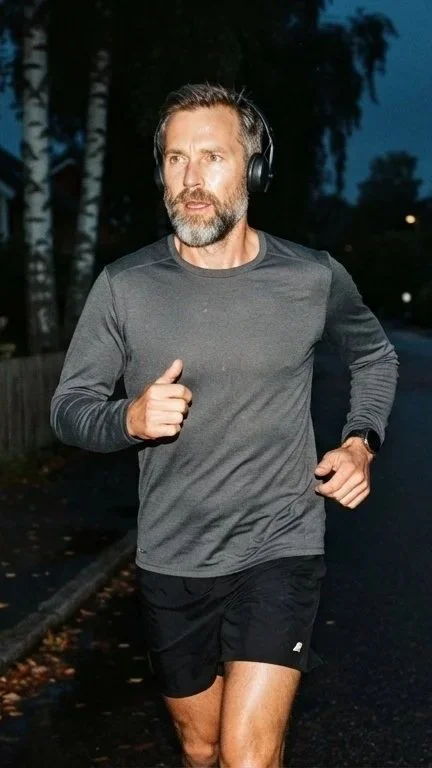

A running app that mixes your music to the rhythm of your steps.
Tempo reads your training plan and your cadence, then builds a mix where every song matches your steps per minute – blended from phase to phase like a DJ set.
ROLE
Product designer – concept, brand, UX, UI & copy
DELIVERABLES
Logo, brand book, iPhone app, Apple Watch & Garmin, websiteProduct designer – concept, brand, UX, UI & copy
TOOLS
Claude (AI) in Pen.dev · AI-generated imagery
From a one-line idea to a complete product
01
02
04
05
LOGO
BRAND BOOK
WATCH
WEBSITE
The brief was three words: youthful, sporty, human. From there I built Tempo end to end – the logo, a brand book, an iPhone app in light and dark mode, flows for Apple Watch and Garmin, and a website for launch.
I worked as creative director with AI as my design partner. I set the direction, chose between options and made every decision. the AI explored alternatives fast and built layouts with pixel precision.
Six directions, colour tests and a graphic element
Logo, typography, imagery, graphic element, tone of voice, mockups
Onboarding, planned run, free run, profile – designed for running
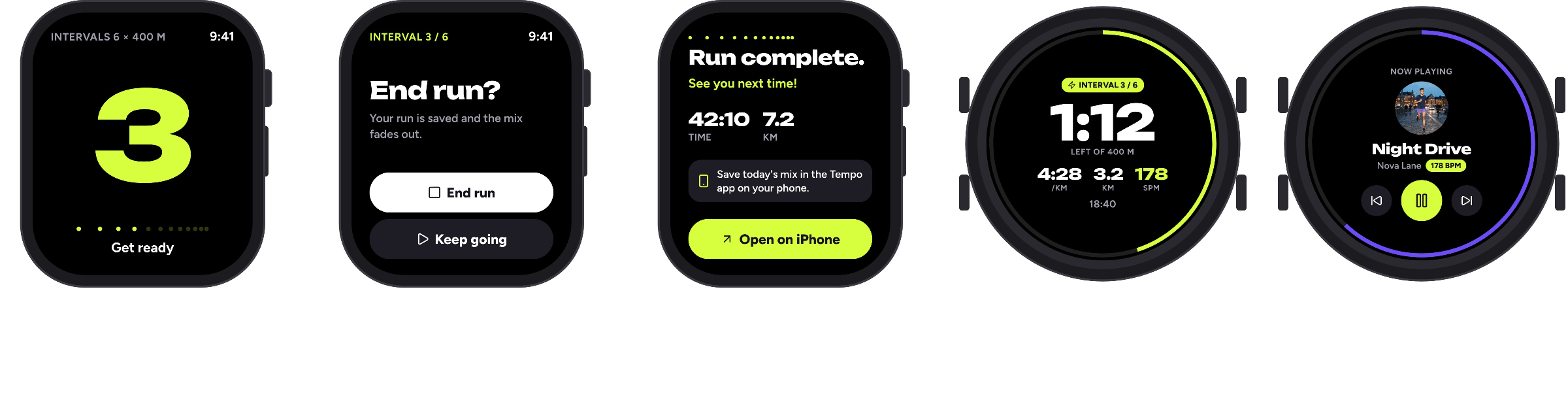
Apple Watch and Garmin, so the phone can stay in the pocket
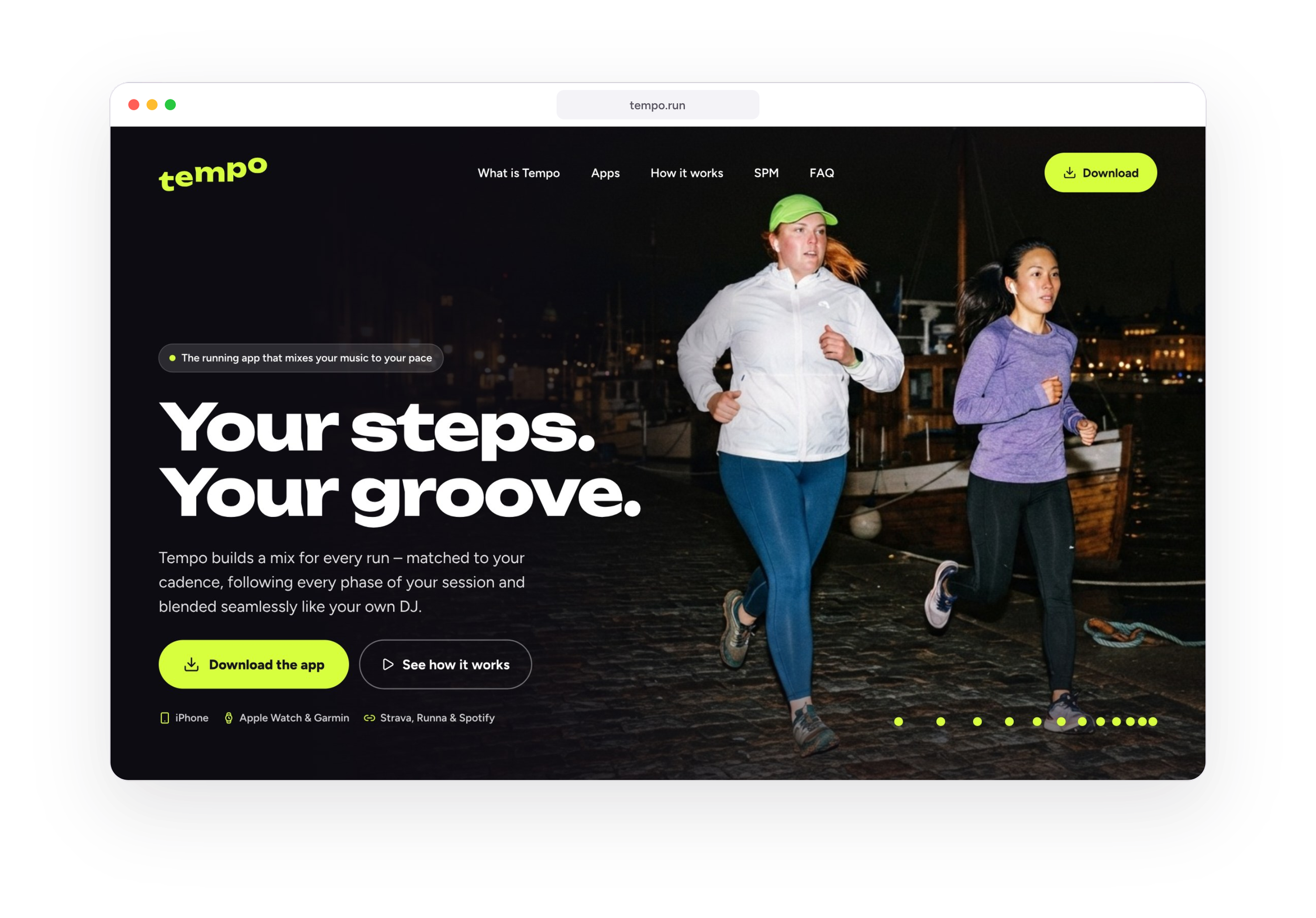
A landing page that introduces Tempo and drives downloads
The Process, in Order
6 concepts
6 concepts
03
IPHONE APP
63 screens + 2 themes
12 screens
8 sections

01
The Logo
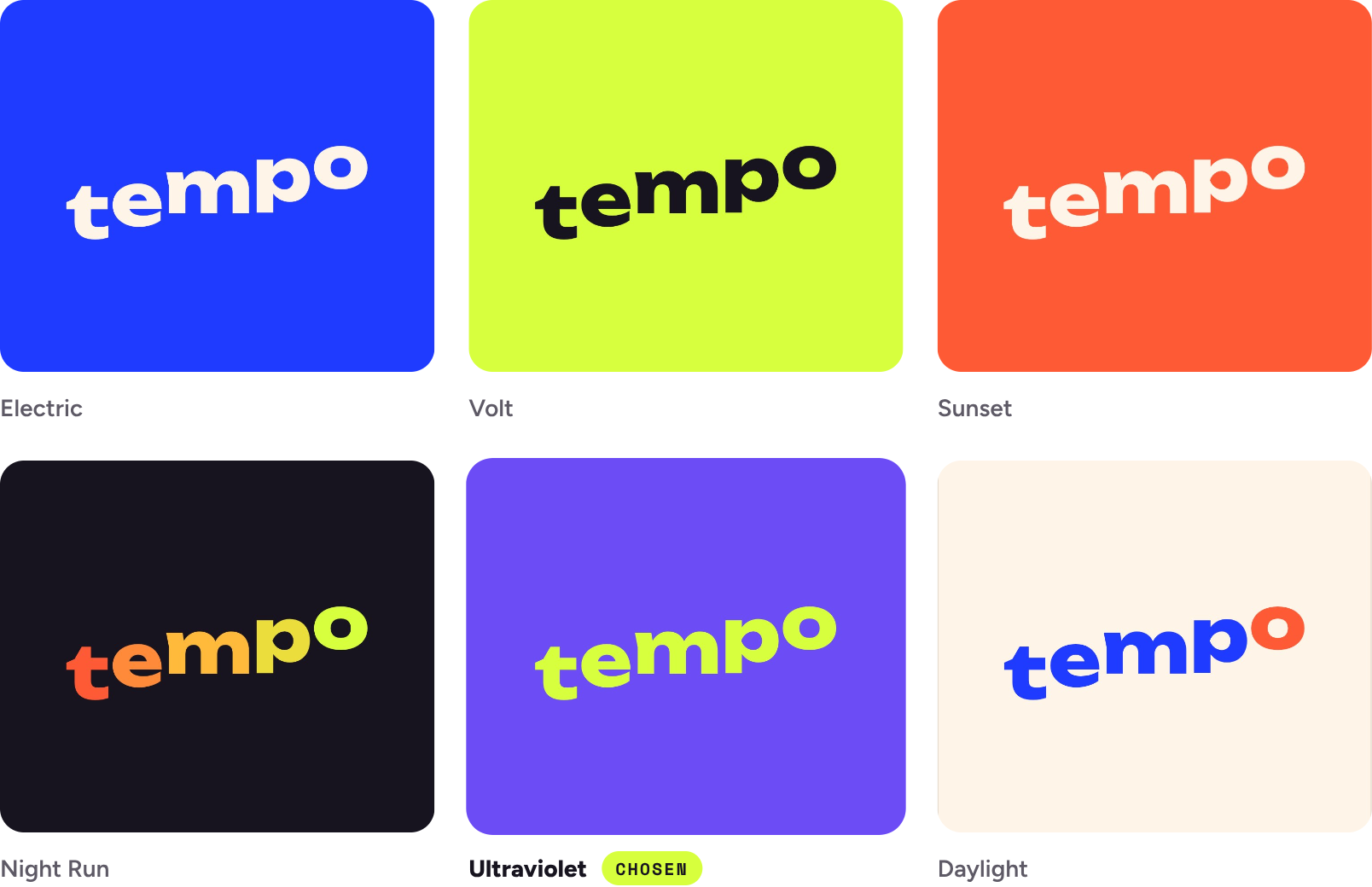
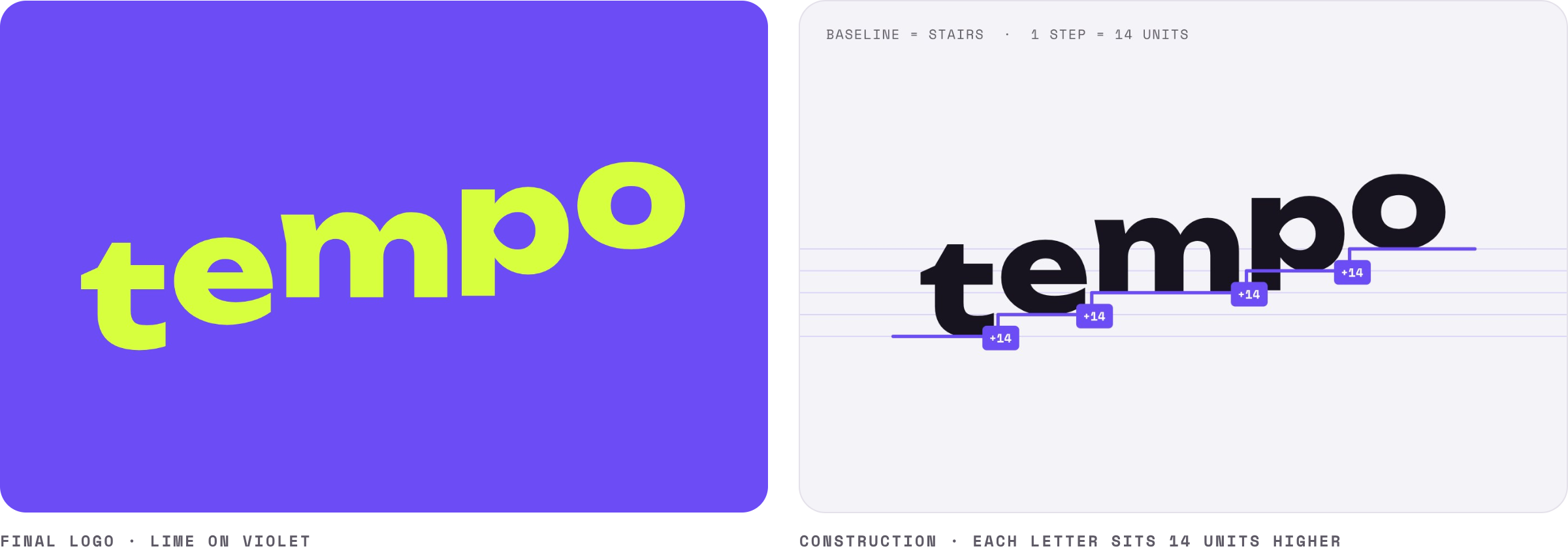
The Cadence Stairs: five letters, five steps.
The rhythm lives in the name itself – no symbol needed. I also cut a “172 SPM” label from the sketch: it described a feature, not the brand.
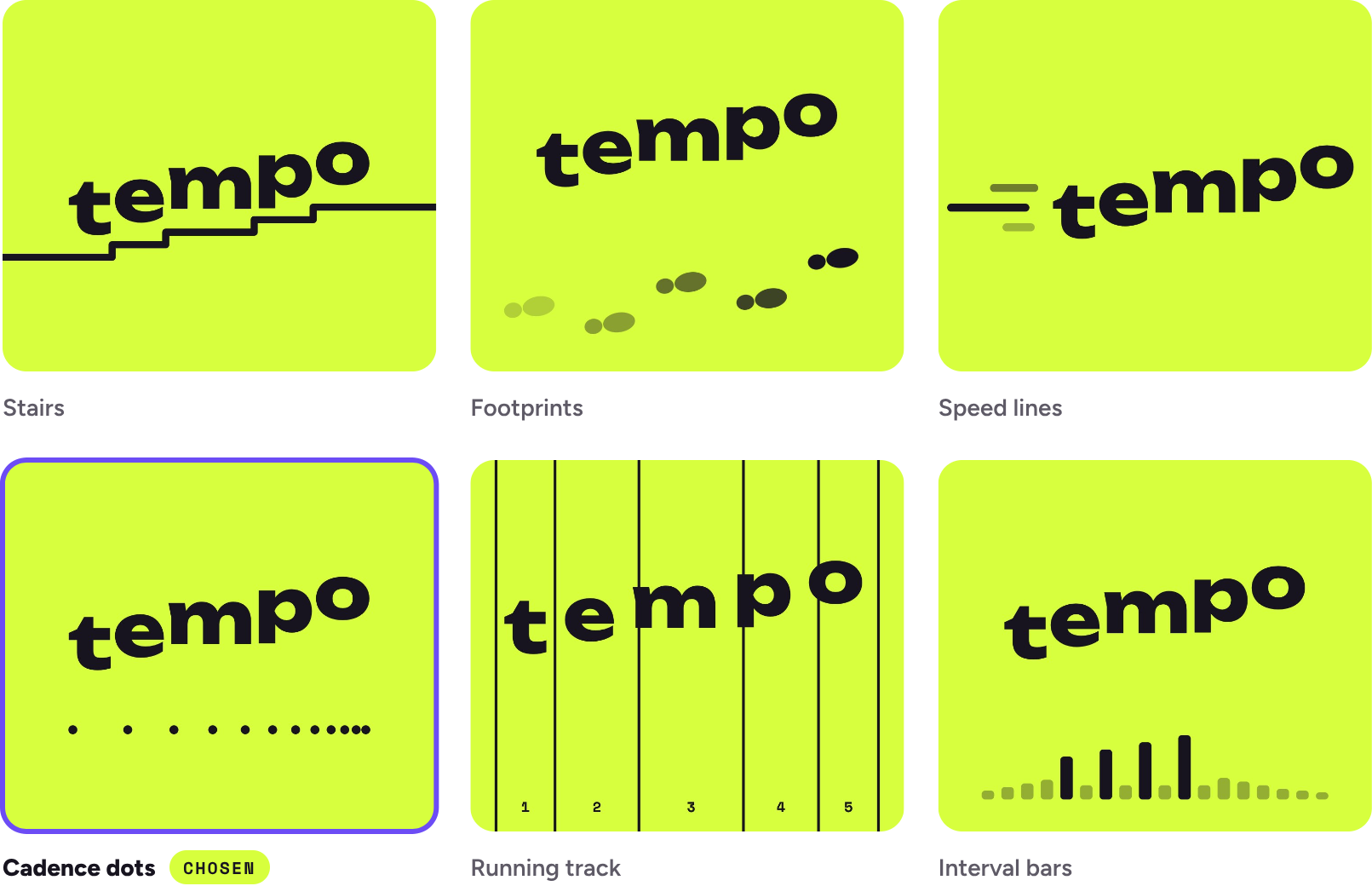
Twelve dots that come closer together.
Like steps as the tempo rises. Each gap is 87% of the one before. I tested the dots inside the logo, straight and rising - then lifted them out into an element of their own.
Six concepts, from sound waves to a metronome leaning like a runner. I chose the one where the rhythm lives in the name itself: each letter steps up like a rising tempo.
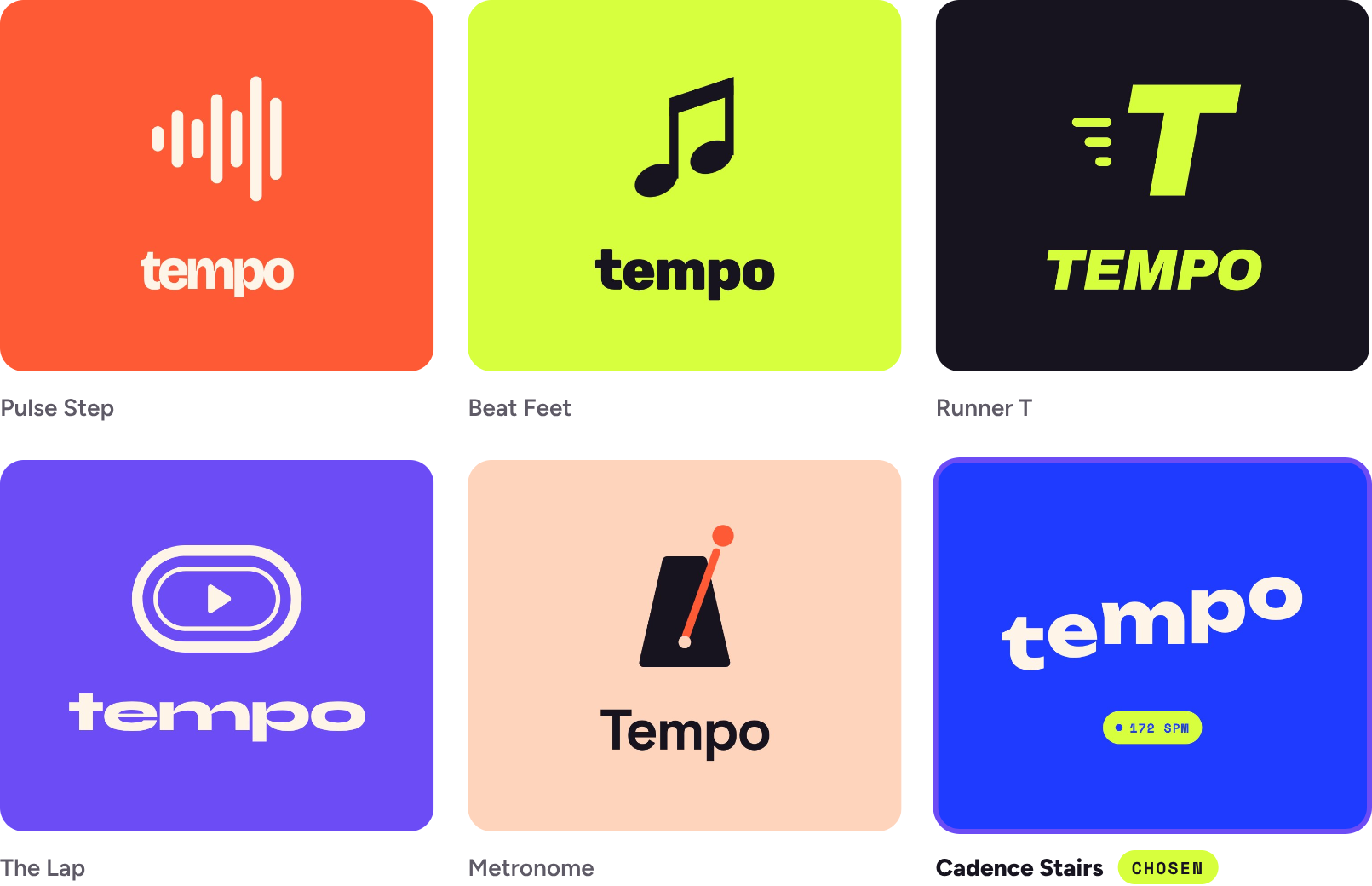
Lime on violet – youthful, sporty, musical.
Six colour moods tested. Volt (lime on black) went first, then the background shifted to violet. The pair reads clearly from a distance – on a poster or a wrist.
02
The Brand Book
Numbers you can read at full speed.
Three type pairings were tested on a running screen. Unbounded carries the headlines, Figtree the body, Space Mono the small labels - with slightly opened tracking in headlines for legibility.


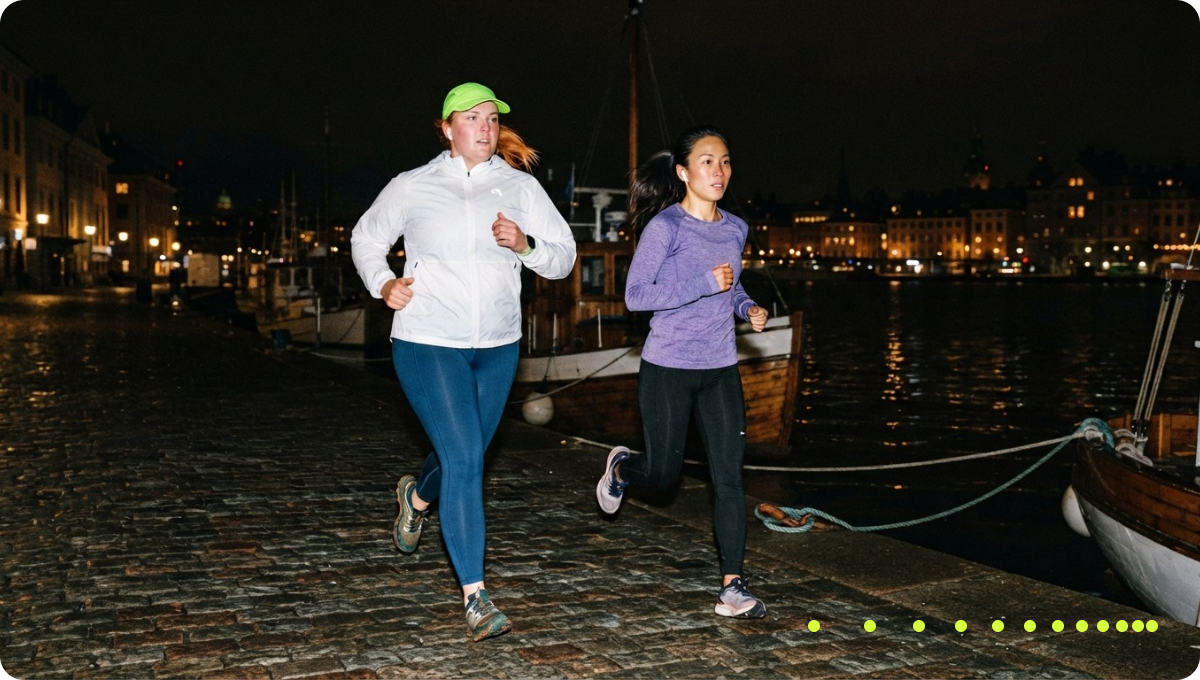
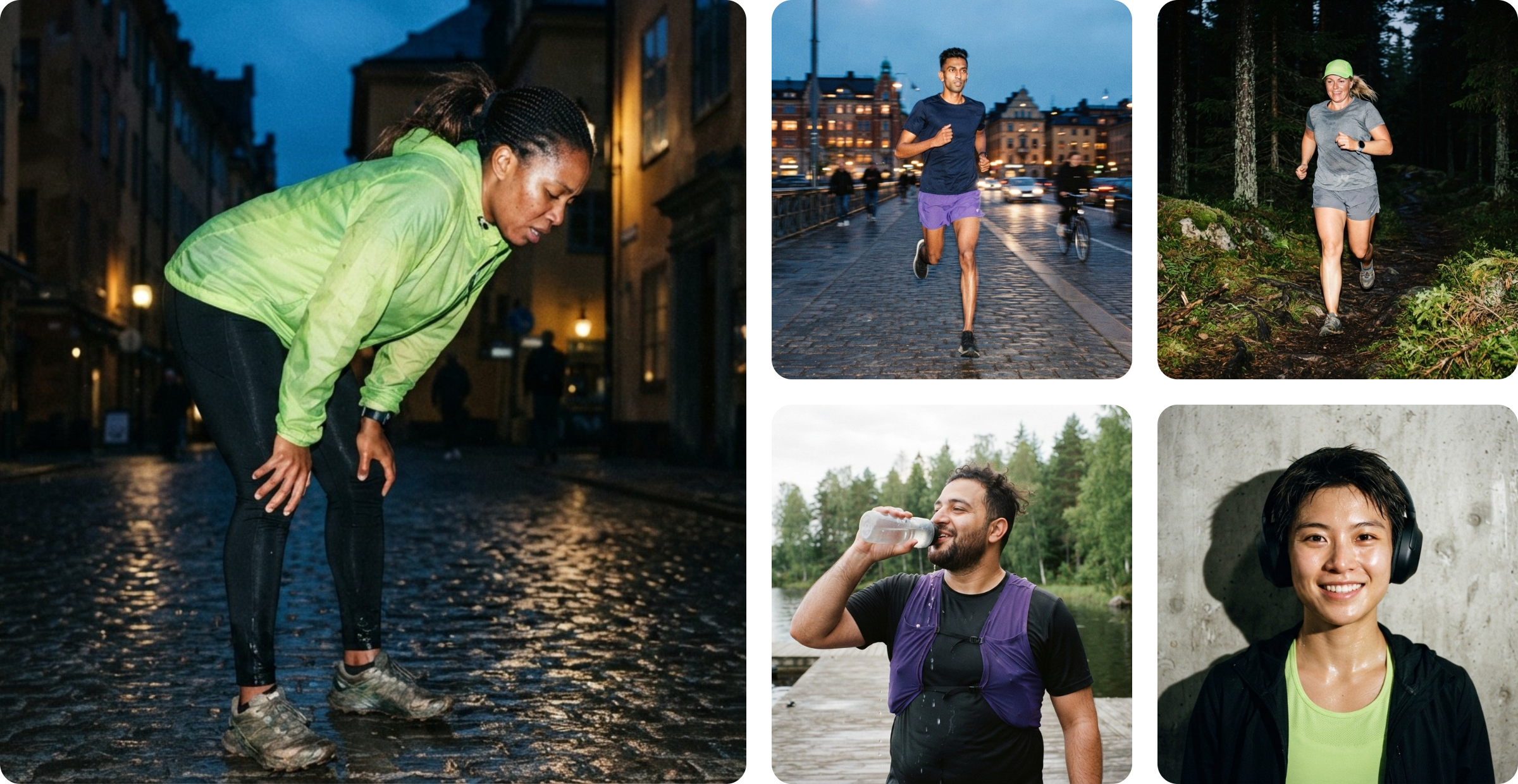
Real people, Nordic streets, a flash of colour
Six chapters that make Tempo recognisable everywhere: logo, photography, imagery, graphic element, tone of voice and mockups.
Flash, film grain and runners aged 20–40 of different backgrounds and body types – each with one garment in lime or violet that ties back to the brand. I generated the images with AI from my brief.
The dots sign every post.
On social media the cadence dots always sit in the bottom-right corner, like a signature. Their colour follows the brightness of the corner. In the app they became the loading animation.
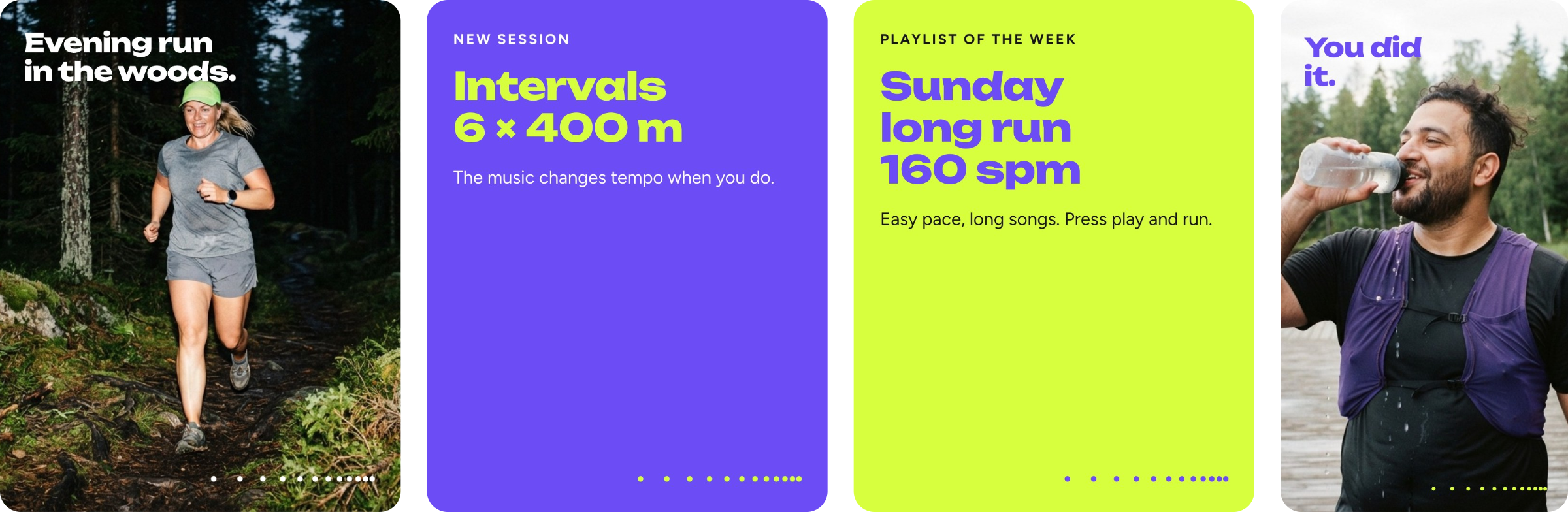
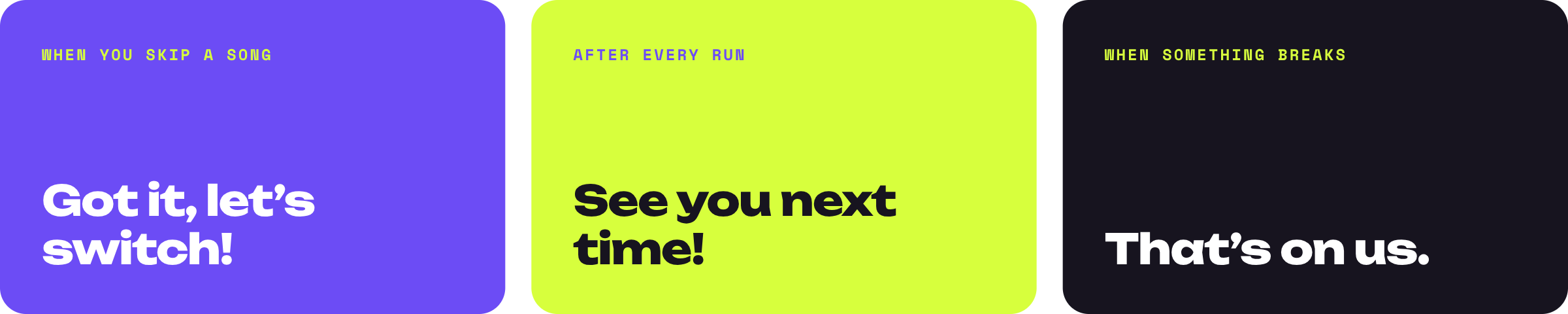
Encouraging - but never judging.
Clear, confident and personal. Tempo talks about your music, never your pace. When something goes wrong, the fault is always Tempo’s, never the runner’s.
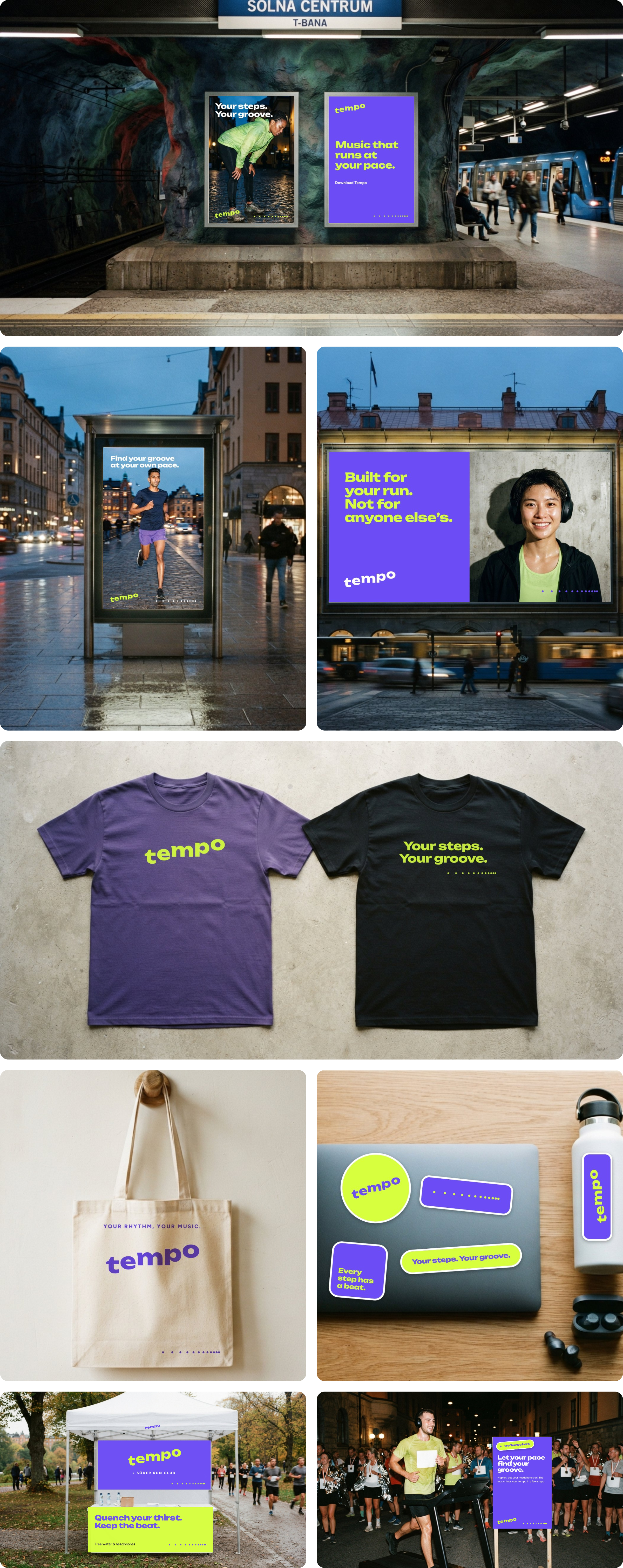
Tempo out in the city.
Posters in the subway and on the street, a billboard, merch and a run-club booth. The environments are AI-generated – the design on top is Tempo’s real logo, type and dots, placed pixel-perfect.

02
iPhone App
Readable in half a second.
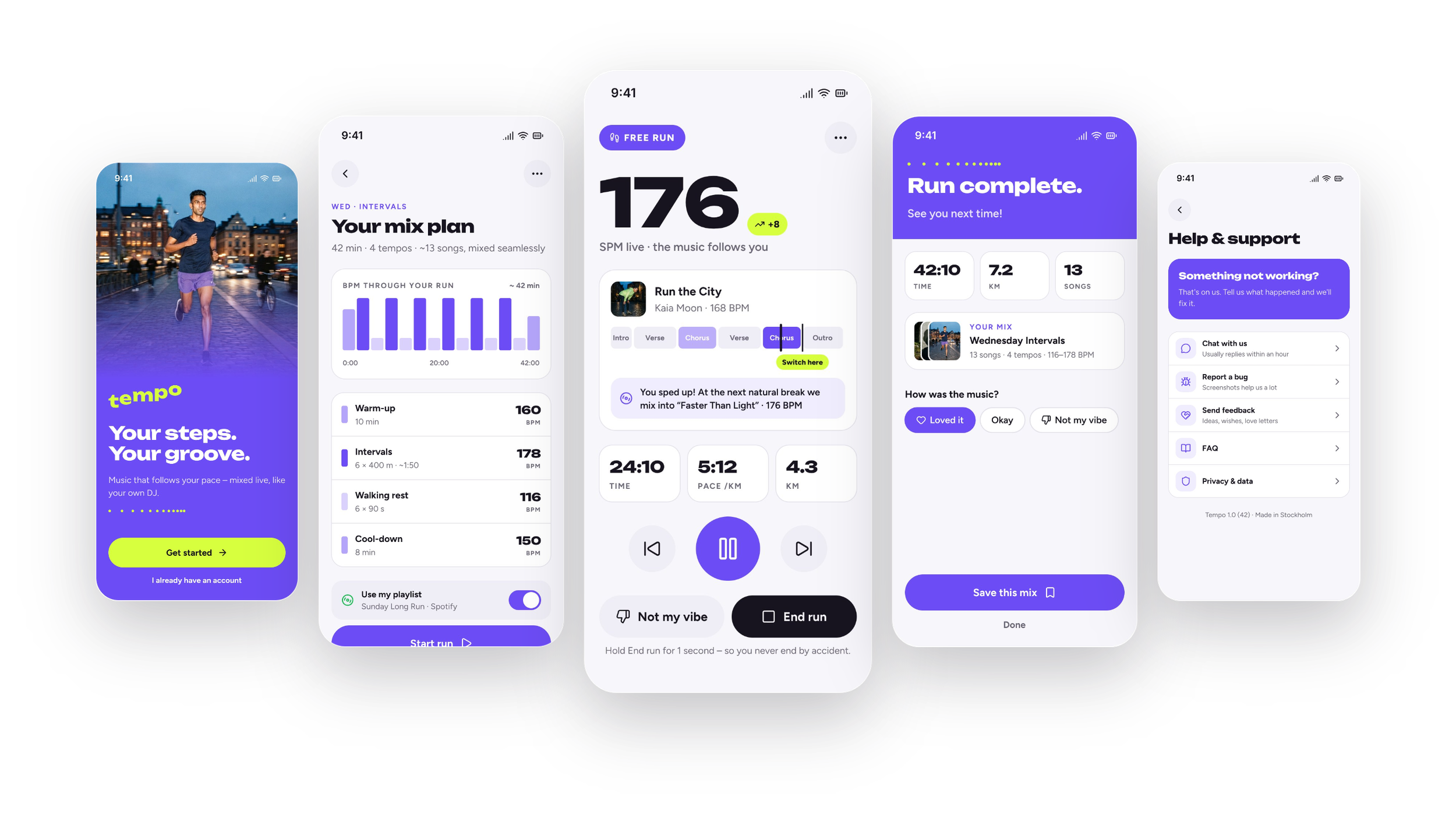
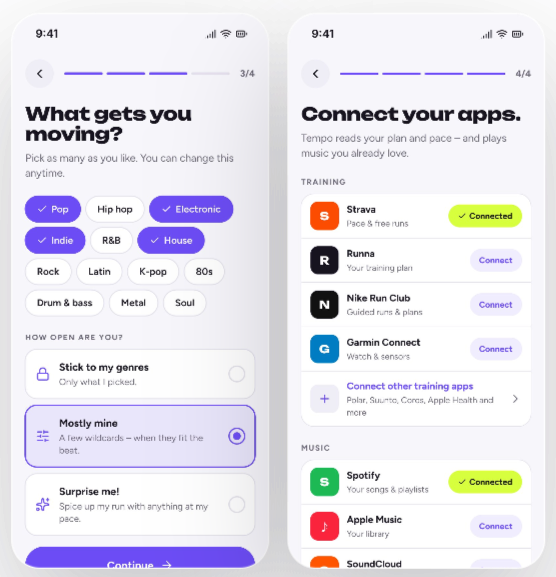
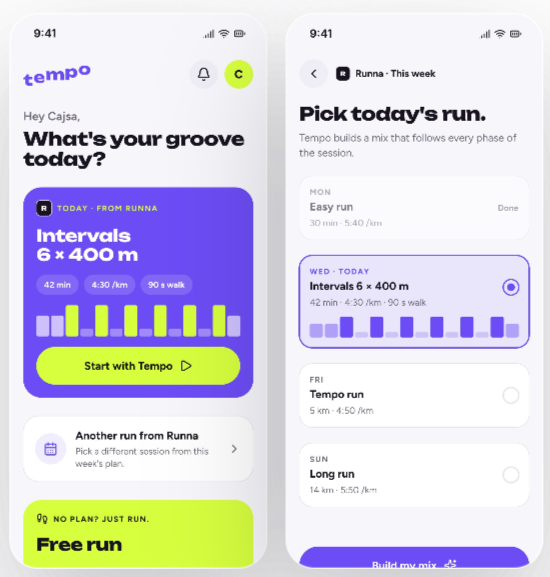
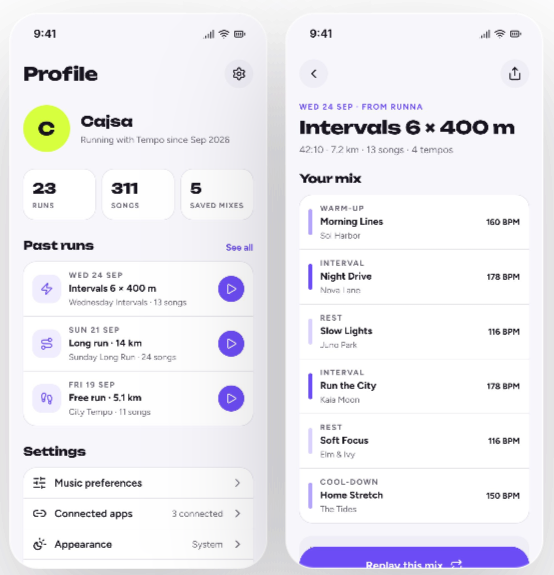
Four flows and 23 screens in light and dark mode, all built on a component library with theme variables. The challenge: designing for someone who is running – with sweat, a racing pulse and about three seconds of attention.
03
04
FLOW 01
ONBOARDING
What Tempo is, your music taste and your apps.
FLOW 02
HOME & PLANNED RUN
Today’s session starts with one tap.
The next DJ transition is shown ahead, so a tempo change never comes as a surprise.
Runners often go out in the evening. Every colour is a variable with a light and a dark value, so dark mode is the same design with another theme. The accent flips from violet to lime - visible even in the corner of your eye.
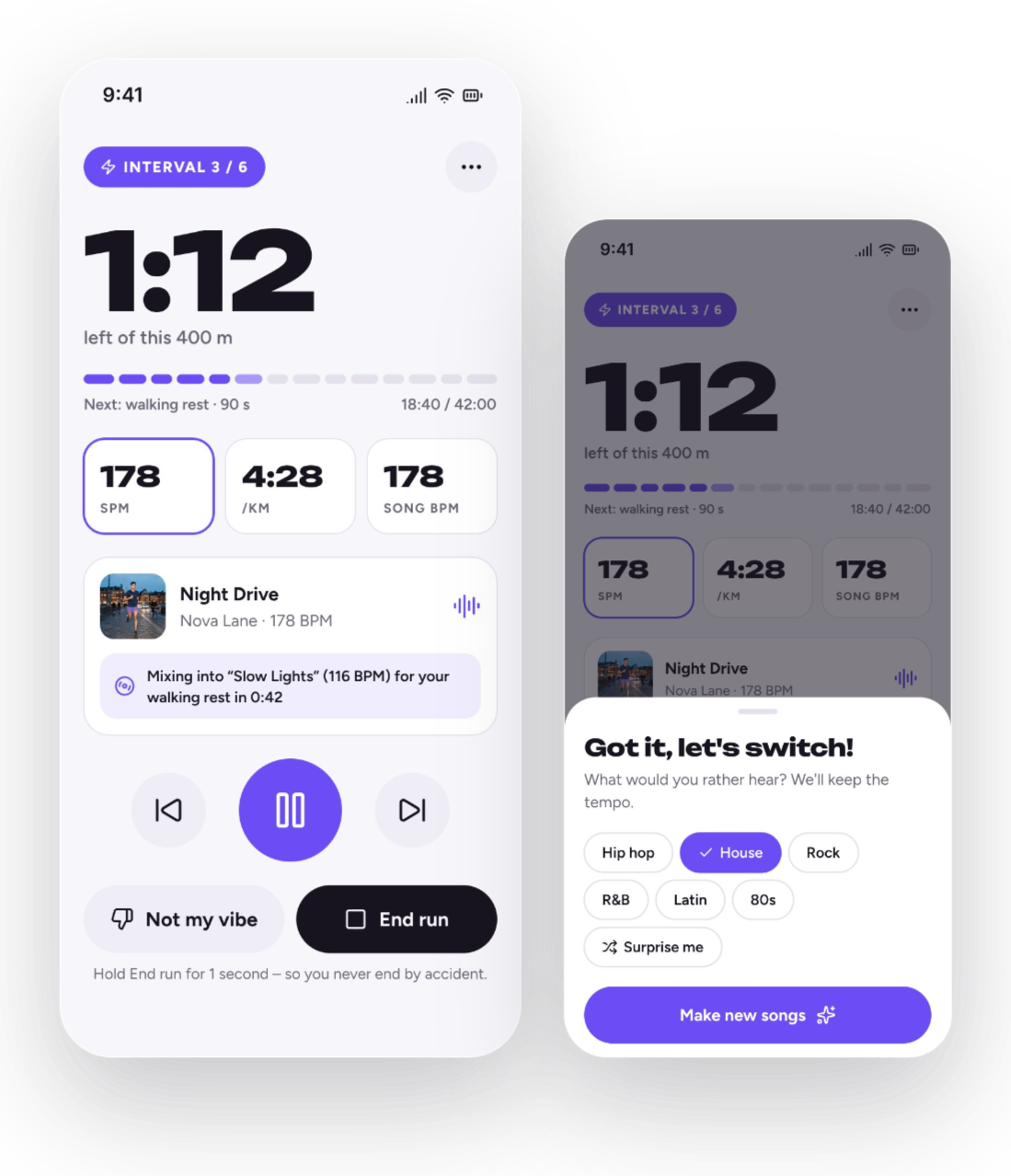
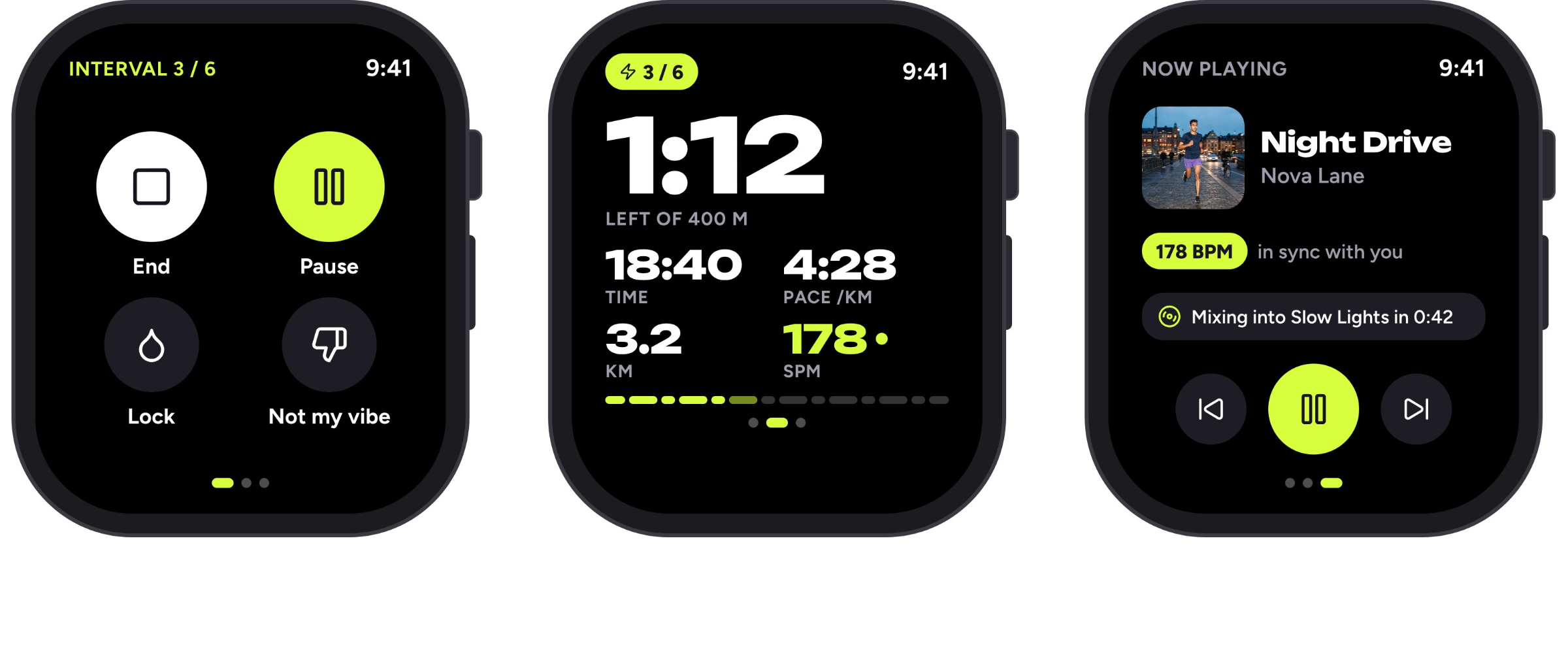
An 88 pt pause button, right where the thumb lands.
End run needs a one-second hold – nobody ends a session by mistake.
06
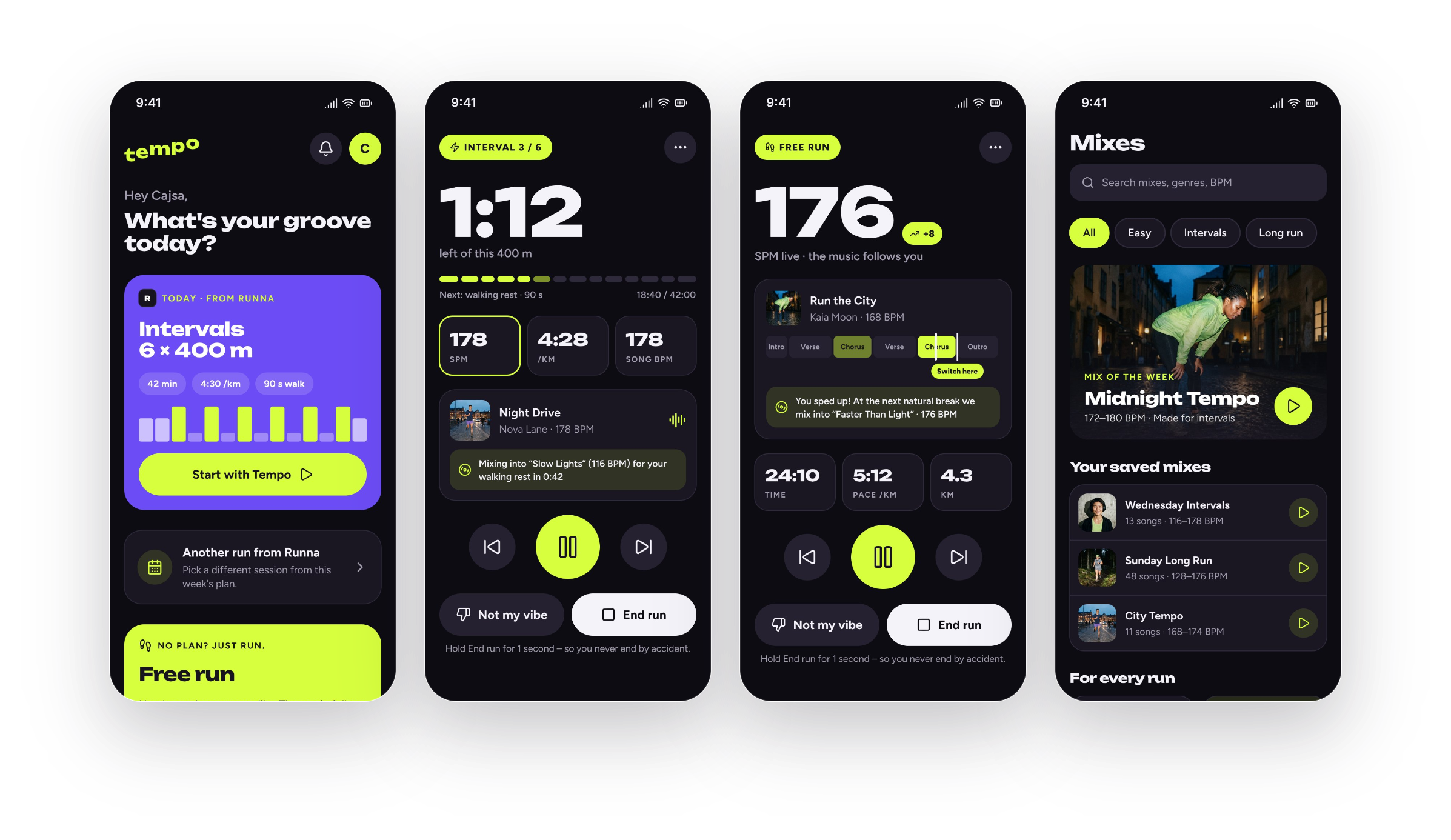
“Not my vibe” switches genre without losing the tempo.
FLOW 03
FREE RUN & AFTER
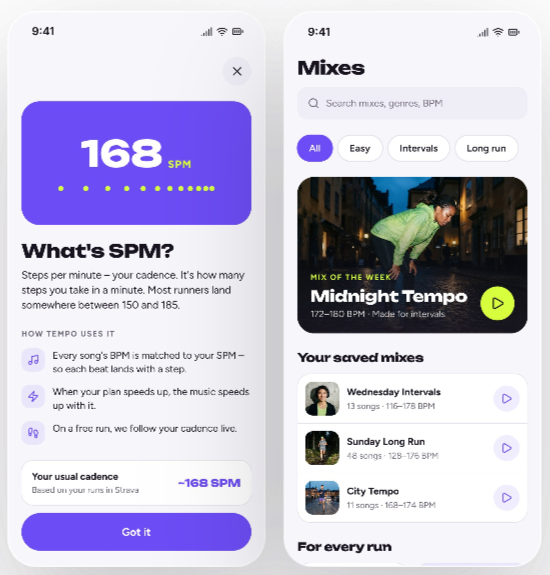
No plan? Just run. No grades afterwards.
FLOW 04
PROFILE & SETTINGS
Past runs, with the mix ready to replay.
Same app, after dark.
05
01
02
Big numbers you can read with a glance at full speed.
The cadence gets a frame when it’s in sync with the song – confirmation without reading.
02
Watch
Apple Watch and Garmin, so the phone can stay in the pocket. The watch is always dark – it saves battery and gives the best contrast outdoors. Lime for what matters most, violet for the music.
02
Website
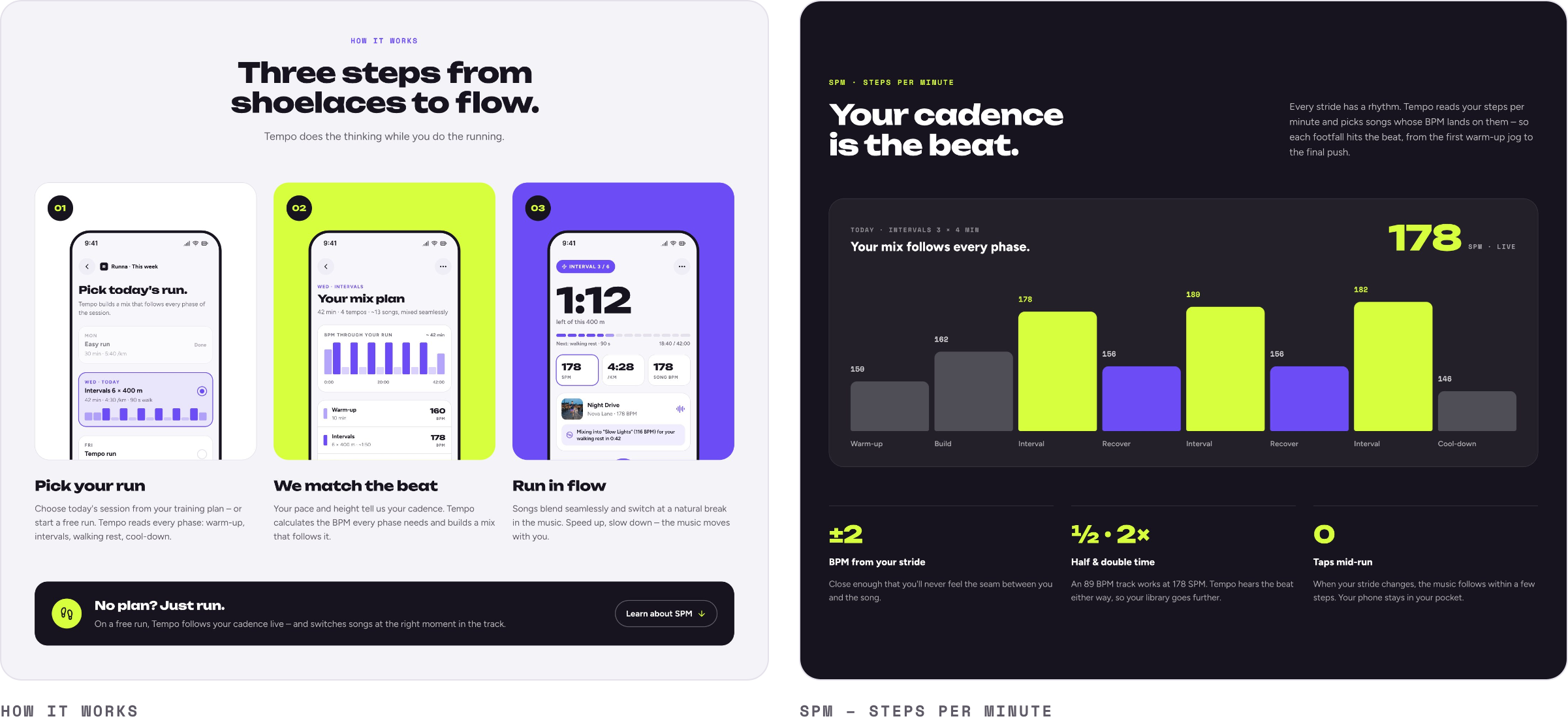
A landing page for launch that explains Tempo in one scroll: the promise, the apps it works with, three steps from shoelaces to flow, what SPM means – and a way to download.
Creative director, with AI as my design partner.
My role
The whole project was made in one ongoing conversation with Claude, an AI that designed directly in the design tool Pen.dev. I wrote the brief, picked the direction, gave feedback and made the calls.
The brief and the feel: youthful, sporty, human
Choosing between concepts, colours and elements
Reviewing UX, hierarchy and copy
Generating the imagery from my brief
Cutting what didn’t belong – like the SPM label and the dots in the logo
AI changed the pace of the project - not the responsibility. It could produce six logo concepts in minutes, but it was my job yo see which one carried the idea, and to hold everything together from logo to watch.
NEXT STEPS
01
User testing with runners – during real runs, with sweat and a racing pulse
02
A clickable prototype of the running flow and the watch
03
Sound and haptics: how does a tempo change feel on the wrist?
04
Accessibility: contrast checks and support for larger text
The AI’s role
Exploring many alternatives fast
Building layouts, components and theme variables
Measuring pixels for exact alignment
Suggesting copy and generating mockup environments