
Heyhabit
(ongoing project)
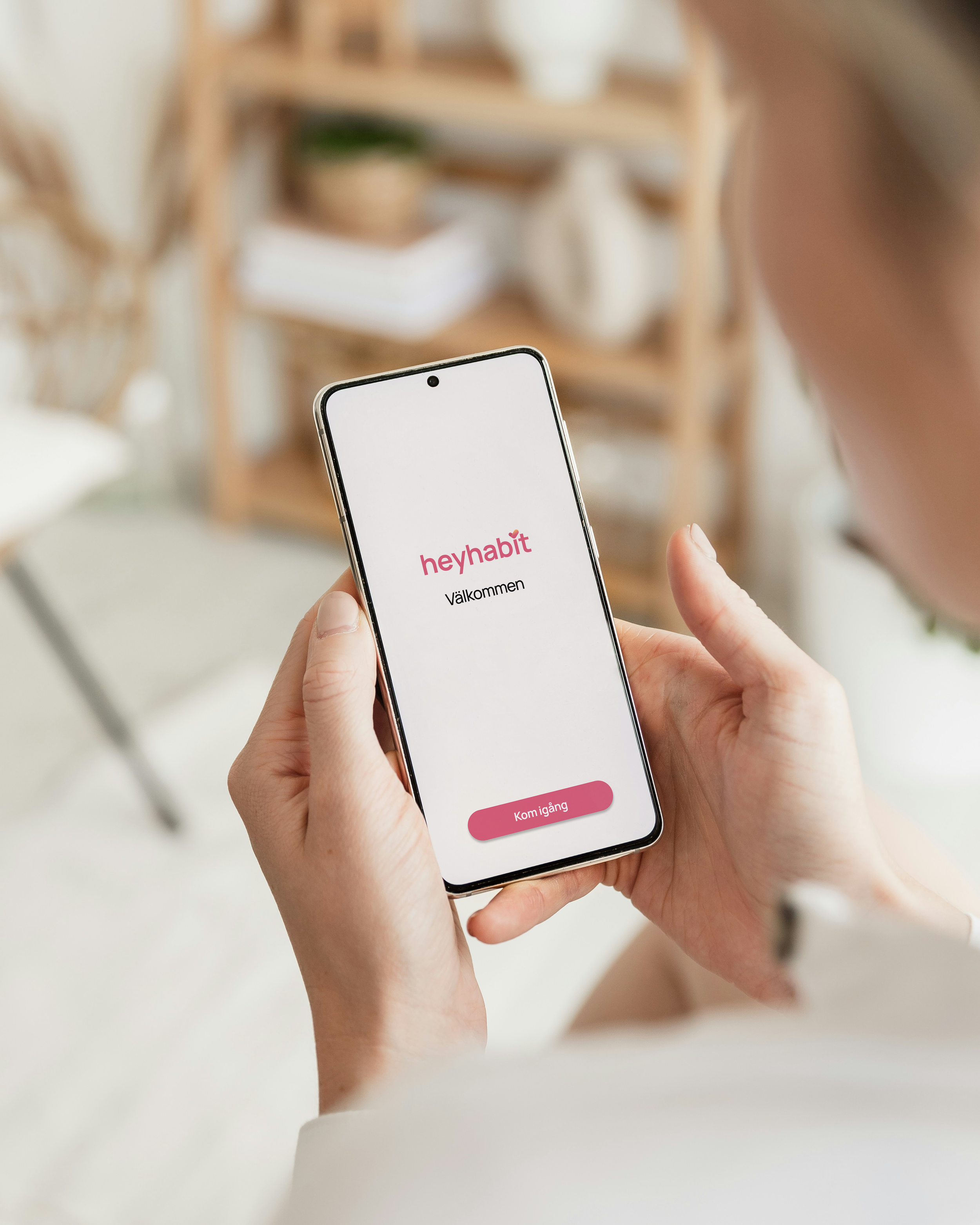
During our UX Research, Service Design and Usability Testing course at STI, we worked with real clients. This was a group project.
I chose to work with Heyhabit because it's a startup with a mission that has the potential to make a real difference in people's lives.
Now that the course has ended, one of my groupmates and I are continuing to work with Heyhabit — which is really exciting.

Timeframe

14 weeks

My roles
UX-Researcher, UX/UI-Designer, Illustrator.

Tools
Figma, FigJam, Figma Slides, Procreate.
What is Heyhabit?
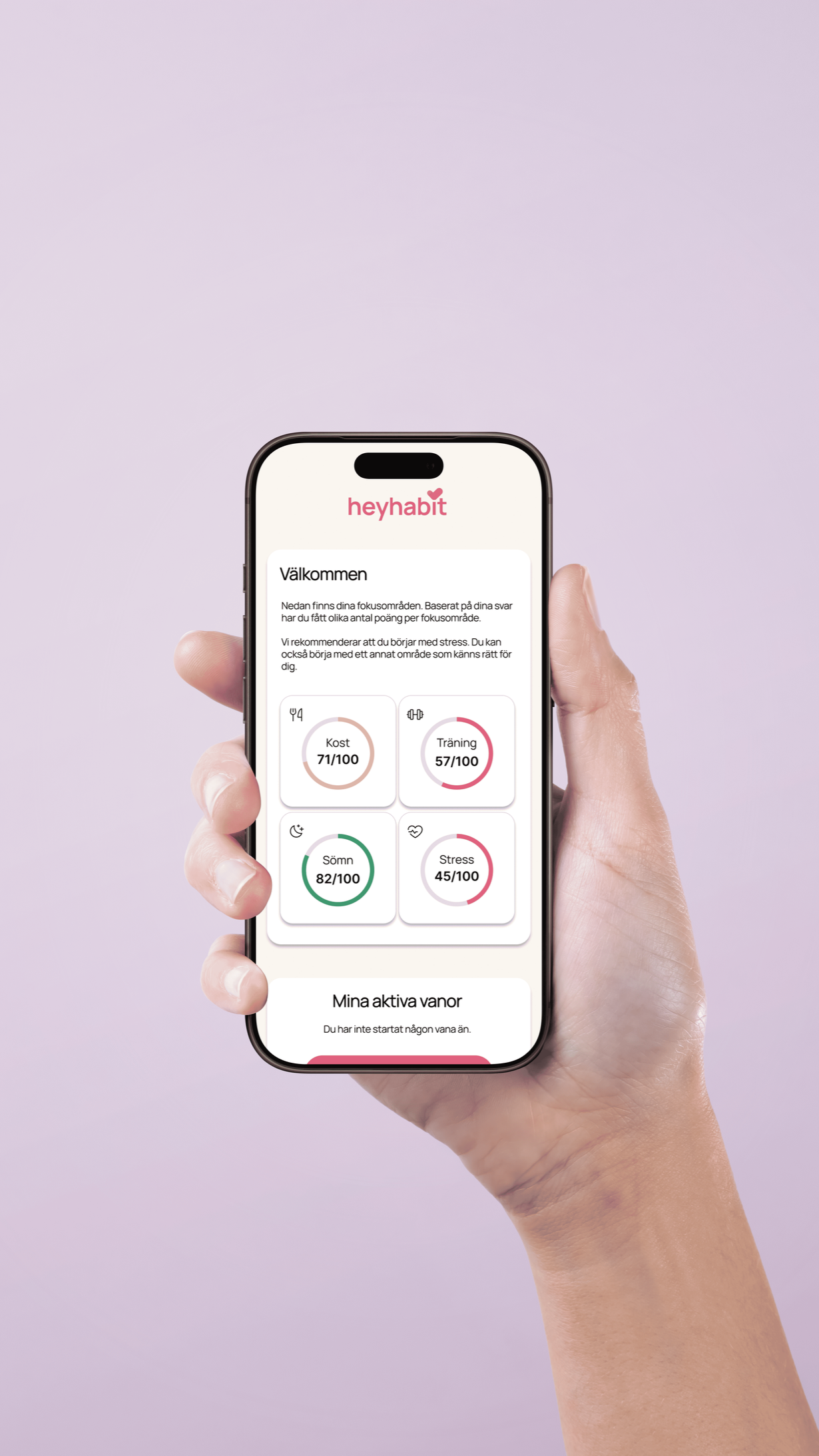
Heyhabit is a health tech company founded by two doctors with advanced training in lifestyle medicine. They are developing a new kind of health app that takes a holistic approach to wellbeing — addressing lifestyle-related issues such as fatigue, sleep problems, weight management, physical pain, and digestive discomfort, as well as helping users prevent future health problems.
The app works by generating an automated, personalised lifestyle medical assessment based on the user's health data and lifestyle factors. From there, it tells the user what to prioritise first and which concrete habits to introduce — then guides, encourages, and coaches them through the process of making those changes stick.
The brief
The overall goals of the project were to:

Clarify the app's unique value proposition and gather insights about the target audience's needs
Design a prototype with a focus on coaching, grounded in behavioural science and psychological principles for sustainable lifestyle change — because the coaching and guidance element is what actually makes the difference for users' health outcomes
Understanding the target audience
A key part of the project was developing a deeper understanding of women aged 25–50 who experience lifestyle-related health issues. This meant exploring:
Their needs and barriers when it comes to building sustainable habits
What types of automated support and reminders are most effective for long-term change
Their attitudes toward the app's algorithm — particularly around how much personal information they're comfortable sharing, and where their thresholds lie when answering health-related questions
Why is Heyhabit needed?
Lifestyle-related health issues have increased significantly in modern times. Currently, there are too few resources dedicated to managing or researching these conditions — yet society stands to save a great deal by investing more in chronic lifestyle conditions and the research surrounding them.
How can UX be used in a way that promotes sustainable behaviour change in users?
Together with Heyhabit, we defined our "how-words" — that is, how we wanted users to feel when using the app. We created an experience map that became the backbone of the entire project.


Target audience analysis
Our primary target group was women aged 25–50, living in Sweden, who experience some form of lifestyle-related health issue. They are curious and motivated to explore and take ownership of their own health.
These women often lead busy lives — juggling work, family, and everything in between — which means they struggle to take care of themselves as well as they'd like. They are held back by limited access to resources and support, and may feel a degree of frustration with the healthcare system.
What they're looking for are simple yet long-term solutions that offer clear information, structure, and everyday support. Key features include adaptable reminders and tools that make it easier to integrate health and planning into their daily lives — without feeling overwhelming.
User Study
We conducted ten interviews to gather as much qualitative insight as possible and build a genuine understanding of users' needs and behaviours. Each interview lasted around an hour and was carried out either remotely via Teams or in person. We chose interviews as our method because we were handling sensitive information — interviewees tend to feel more at ease and give more detailed answers through personal interaction.
We found participants through our personal networks, as people close to us fit the target group well. We also believed we could gather even richer qualitative responses from people who felt comfortable with us.After the interviews, we anonymised the participants and gave them names based on their responses.
Based on our interviews, we identified our key insights:

Personalisation
All respondents wanted to tailor the app's features to their personal preferences and needs.
They wanted to set their own goals and receive a clear, overview-style plan.
"I want to have the energy to go on a mountain hiking trip."
"I want to get my metabolism back to normal."
"I'd love a little avatar that's like a companion — one you can customise, like choosing what it looks like."
"By the time I'm 40, I want to be my strongest self — both mentally and physically."
Personal connection
All respondents felt that personal contact and a sense of recognition were very important.
Many wanted to understand the thinking behind the app — why it exists. Transparency and information build trust and confidence in the service.
Many respondents also expressed interest in some kind of forum where they could connect anonymously with others.
"It feels important that the app gets to know me specifically."
"A personal touch matters — knowing there are real people behind the app. Something like Headspace is good, where there are videos of people talking to you and you feel like you might actually 'click' with them."
"I'm often surprised by how much sensitive information people share. People want to feel a sense of community — to see that others have similar issues and know they're not alone."

Progress and motivation
It was clear that users need to feel motivated, receive some form of reward along the way, or be able to see what health changes have taken place.
The majority wanted a clear overview of their personal progress, as this kept them motivated to continue.
Users need realistic goals achieved through small steps, while also understanding the value of long-term development.
8 out of 10 users felt it was important to address both mental and physical health together.
"Short, concrete tips on what to do — things that actually help me in the long run."
"You've eaten fruit and vegetables every day for a month. That means your immune system is strong..."
User-friendly and appealing
It was important to users that the app becomes part of their routine — not an extra burden or something that feels overwhelming.
The app should be aesthetically pleasing and welcoming. Tone of voice matters too, with many users wanting something warm and inviting.
"I like soft, neutral colours."
"It would be great to have an overview showing, for example, how much I've exercised during the week."
"It feels important that the app is visually appealing — otherwise I won't want to use it."

Gaps in healthcare
Many participants had experienced shortcomings in the healthcare system, leaving them feeling let down and more sceptical.
Most wanted to move away from quick fixes and instead address the root cause of their issues.
"I've done a lot to seek help, but I feel like you easily get stuck and can't move forward. My cases aren't followed up on often enough."
"I've had many appointments but haven't received any real help. Because it was so hard to get support, I've given up."
"I feel frustrated about having to explain to doctors what my condition (PCOS) actually means."
"I don't expect to find a great psychologist straight away — there are others who need that help more than me."

Sharing sensitive information
All respondents were willing to share sensitive information with the app, as long as it felt trustworthy and secure.
Most had no issue with entering a large amount of information in one go, and understood that the more they shared, the better the app could help them. However, it was important that users could skip certain questions, and that information was easy to fill in and update later.
"I'm absolutely willing to share sensitive information — but it needs to feel safe, and I need to know how it will be used."
"I'm an open book."
"I'm willing to share sensitive information, but there are limits. I'm happy to enter physical health data, but I feel more reserved about sharing mental health information in an app — unless it has a psychologist involved."

Behaviour Types

After completing our interviews, we analysed the participants and grouped them into distinct behaviour types. We arrived at two: the pleasure-driven explorer and the goal-oriented strategist. We replaced "who" in our experience map with these two behaviour types.
Drivkraft
The Pleasure-Driven Explorer
Seeing change and results
Behaviour
Dutiful, solution-oriented, consistent, and high-achieving
This behaviour type is characterised by difficulty establishing and maintaining routines, but is driven by enjoyment and engagement in things that feel fun, stimulating, and interesting. They are empathetic and place great importance on understanding the purpose behind their actions. At the same time, they seek validation and support from those around them.
They appreciate simple solutions with a low barrier to getting started. These individuals need guidance and help with a clear sense of why. To sustain their engagement, they need structure and a context that feels both accessible and meaningful.
Drive

The Goal-Oriented Strategist
Drive
Finding motivation and understanding why
Behaviour
Struggles to maintain routines, driven by enjoyment
This behaviour type is characterised by a strong sense of purpose and a clear understanding of their "why." They are solution-oriented, open-minded, and driven, with a strong desire to gather information and build routines. Despite this, they often struggle to find time for these things due to a hectic lifestyle and competing priorities.
Their sense of duty and focus on achievement can lead to recovery and rest being deprioritised — which in turn can create new lifestyle-related problems. They need support in balancing their ambitions with time for wellbeing and sustainable routines.
Workshop
We held a workshop with the aim of generating ideas for features and finding a structure for an app designed to encourage behaviours that support healthy habits and improved wellbeing — for both the strategist and the explorer. We focused on creating an experience that is inviting, clear, guiding, and trust-building, to ensure users feel supported and engaged on their way toward their goals.
Idea Posters
To make the ideas from the workshop more concrete, we drew inspiration from other apps and the ways they structure user flows and interactions. We analysed how different solutions could contribute to a clearer and more user-friendly experience.
Based on our behaviour types, we explored which design choices best meet users' needs, and created ideas that adapt to their different ways of interacting with a service. We created these idea posters to showcase examples of features we wanted to include in Heyhabit.


Structure
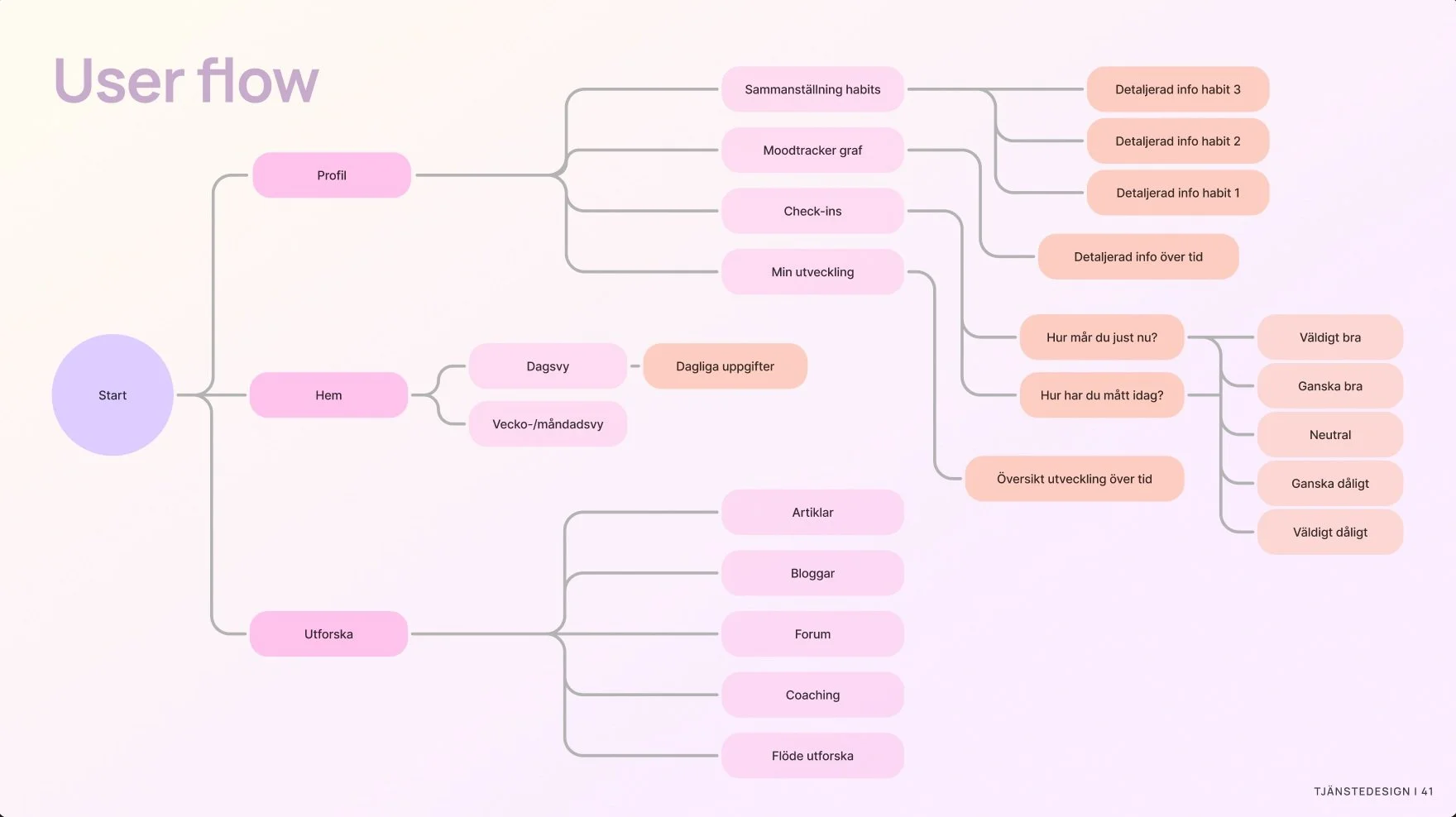
To understand the structure and architecture of the app, we developed an information architecture and a user flow for Heyhabit.


Heyhabit

Wireframes
I sketched wireframes by hand to explore ideas for how the app could look.

Dartboards
Our suggestion
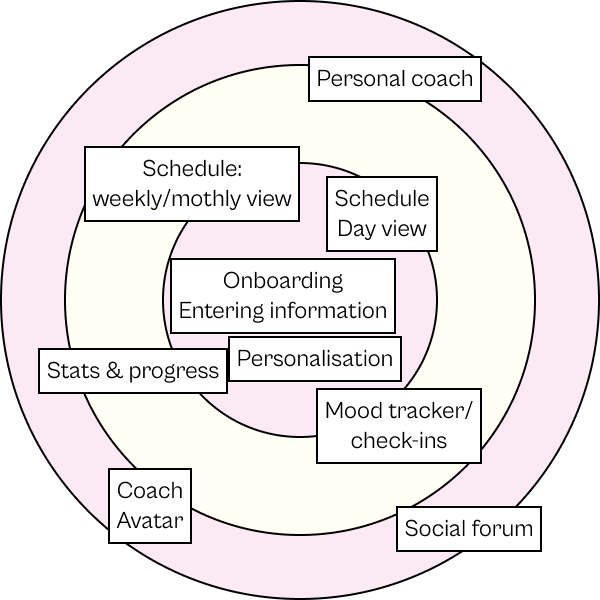
We prioritised our ideas using a dartboard format — first within our own team, and then together with Heyhabit. When prioritising, we focused on how well each idea encouraged behaviours that build healthy habits and improve wellbeing.
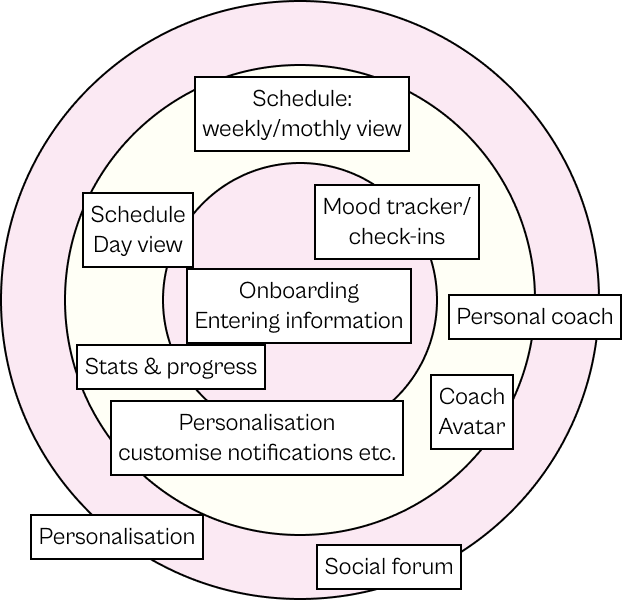
Final idea prioritisation
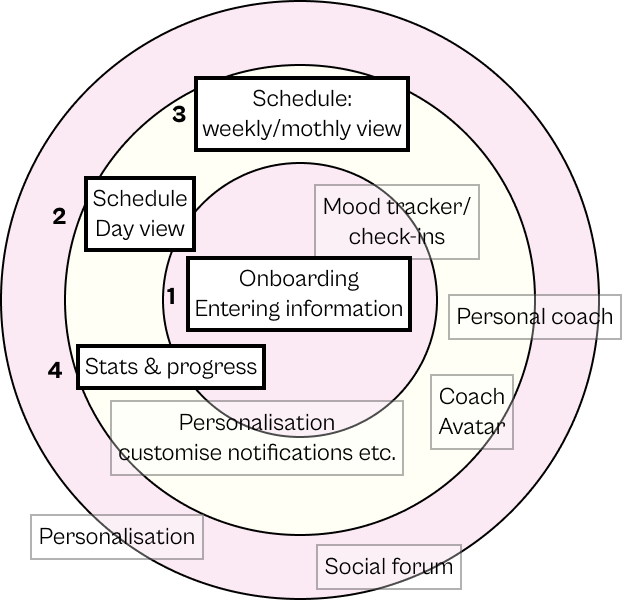
Based on the two dartboards, we chose to focus on "Onboarding — data input," as this is a vital part of making Heyhabit work and enabling it to provide the best possible support.
We decided to create a short onboarding flow that asks a small number of questions before giving the user access to the full Heyhabit experience. We recognised that a lengthy onboarding risks losing the user's interest before they've even seen the app's real content.
Once we had designed the onboarding flow, we chose to reuse its structure in the "day view," in the form of "Habits." This makes further data input easier for the user, as the questions are divided into themed blocks spread out over time.
Onboarding / data input, the day view schedule and calendar, and the profile view were the sections we agreed with Heyhabit to sketch out and prototype — which we then used in our usability testing.
Low-fi prototype


Onboarding

Onboarding
Kalendervy
Dagsvy
Utforska
Profil-statistik
Profil

Enter information

Sample questions and "habits"


Usability Testing
Purpose — Part 1: Prototype
Based on our idea prioritisation with Heyhabit, we chose to focus on the concept of "entering information" — specifically how questions and answers are presented within the app.
We also tested the app's general flow to evaluate how user-friendly and natural it feels to navigate between different views.

Method and test participants
Controlled and moderated observation — prototype testing, conducted both remotely online and in person.
Carried out with 5 participants, all from the original interview group.
The aim was to evaluate the concept of "number of questions in a row" — how it feels to answer a large number of questions in one go compared to answering them in smaller blocks, both with an automated save function.
The goal was to understand users' experience of lengthy questionnaires, since we know that Heyhabit involves a substantial number of questions.
A first-time user who has just downloaded the app and is trying it for the first time. The test participant follows the instructions in the app and receives guidance from us when needed.
Participants were given the scenario and then interacted with the digital prototype. We asked them to think out loud and occasionally respond to follow-up questions. The sessions were recorded.
Scenario and execution
Purpose — Part 2: Mini-interview
Method and test participants
Mini-interview with controlled and moderated observation. We tested two scenarios around the number of questions in a row.
Conducted alongside test 1, and therefore carried out with the same participants.
Scenario 1: Answer 30 + 26 questions in one go
Scenario 2: Answer the same number of questions split into blocks
We asked the participants interview questions. The sessions were recorded.
Scenario and execution


Easy to navigate between the different views
Filling in the answers to the questions was straightforward
The views had a well-organised layout
All test participants appreciated that answers are saved automatically and that they can come back and continue filling in later.

Nobody noticed our progress bar
Habit 3 — starting an activity (a walk) — felt unnecessary.
Nobody noticed the icon indicating that answers are saved automatically.
Insights and action prioritisation
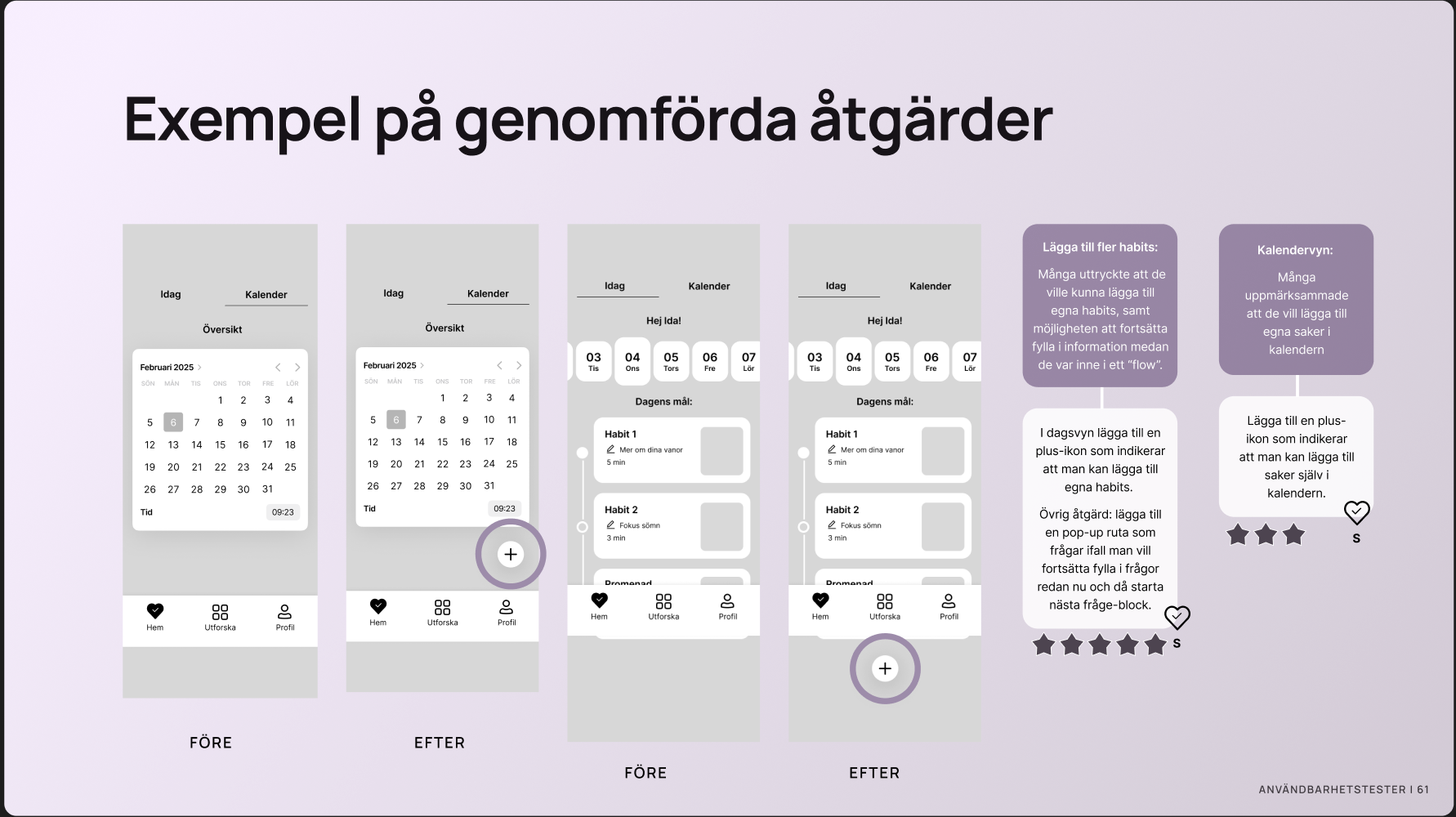
Based on the usability tests, we compiled our insights and ranked them in an action prioritisation. Each action's value to the app is shown using a 1–5 star rating, and hearts marked with S, M, or L represent how large the action is for us to address. The value to the app has been prioritised with our "How" words in mind — how can we make the app inviting, clear, welcoming, and trust-inspiring.




Guerrilla Testing
Method and execution
Guerrilla test — a controlled and moderated observation. A condensed version of the usability test, conducted in person.
Carried out with 3 participants at STI through on-site interviews. We asked the same interview questions from test 2 regarding the concept of "number of questions in a row."
We also wanted to find out what makes a questionnaire feel good or less good, and conducted an A/B test to identify the best way to display the length of a questionnaire.
Purpose
The aim was to test selected parts of the main test with additional users, in order to strengthen our insights about the app's flow, navigation, and how questions and answer options are presented.

A good questionnaire includes:
Information about how long it takes to complete
A visually appealing interface
Simply worded questions
A sense of getting something in return — a reward, or personalised help such as through a health app
Questions grouped into categories, so there is a clear thread running through them
A poor questionnaire includes:
Complicated questions
A lot of text
Free-text answer options
Questionnaires without a clear value or purpose
Questionnaires that are too long
A questionnaire that feels biased or leading
Unclear instructions that cause confusion and leave you feeling like you've done something wrong
Questions in one go vs in blocks
It feels more comfortable and manageable to enter information in separate blocks with fewer questions, rather than answering around 50 questions in a row — even with the option to pause and come back later. This is partly because questions divided into blocks provide a clearer overview.
Minutes vs number of questions
To give a clear picture of how long it takes to enter information, it is best to show both a time estimate and the number of questions. This combination gives a sense of how short or straightforward the questions are.
Entering information
If you're in a flow state or have more time available, you should have the option to continue entering more information.
Seeing where you are in the input process is important for motivation.
Entering a large amount of information doesn't feel like a burden if you personally benefit from doing so.
Wireframes
Both the visual expression and the tone of voice will play a significant role in how the app is experienced, and will therefore have a major impact on our "how" words — inviting, clear, guiding, and trust-inspiring. This is in itself a substantial piece of work that we didn't have time to fully explore during the course — but as mentioned, one of my groupmates and I will be continuing to develop it. These wireframes are an example of how the app could look with a colour scheme based on Heyhabit's current visual identity.

